
Custom Rating Templates
What Are They?
Rating templates are used with Job Templates. They are what allow you to rate how well any given service has been performed and lets you know where improvements are needed. Custom Rating Templates then are rating templates that you create to more closely fit your needs and the needs of your clients.
Let’s Get Started
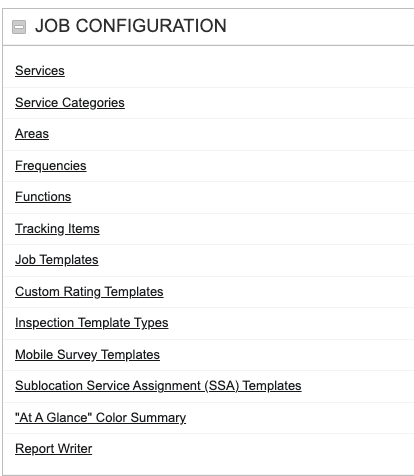
First click on the Admin link in the menu then click on Custom Rating Templates in the Job Configuration section.
From this page you can either click on the name of a rating template from the search results to look at it or on New Custom Rating Template just above the results box to create a new template.

New Custom Rating Template
From this page we are able to set a name for the template, add a description, set the template as the default for future job templates, and delineate the various ratings available to choose from.
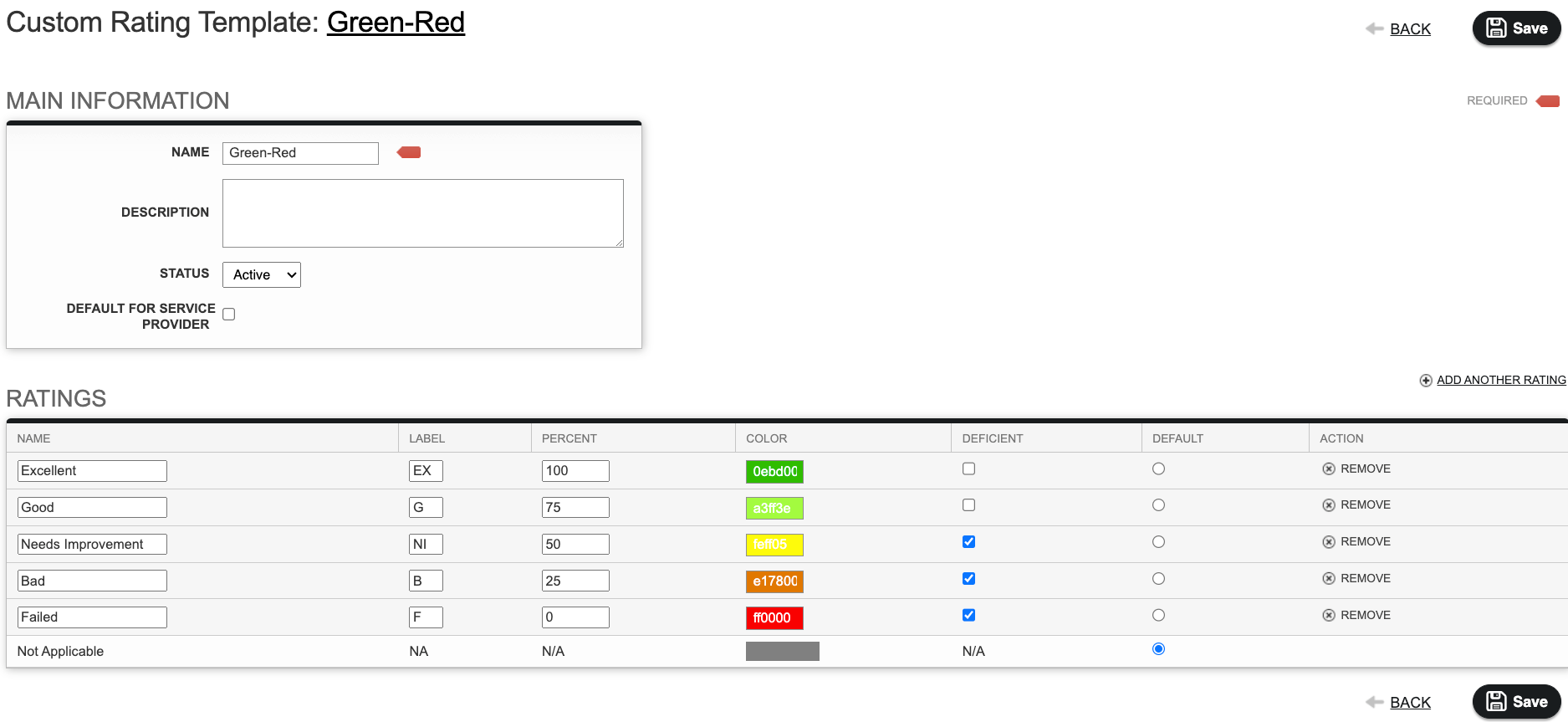
When creating a rating you specify a name, a label which is a 1 or 2 character abbreviation, the percent representing how well a service was completed, a color that will show up for the rating in an inspection, whether or not the rating will make the service deficient, and a selector to chose which rating is the default rating if a service is left un-rated.
When you click Add Another Rating a new rating option is created at the bottom of the list. To reorder the list, simply drag and drop the new rating to the order you want it to be in when your employees are performing their inspections.
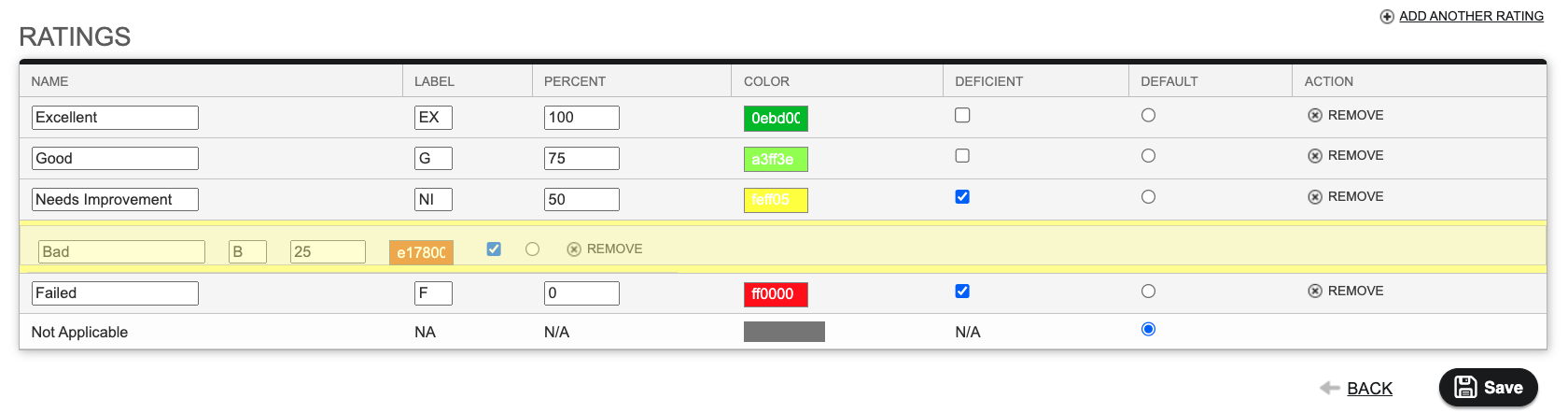
Once you have it all set up, click Save at the top or bottom of the screen and then click Back at the top of the screen to take you back to the Custom Rating Template search results page.
Assigning a Custom Rating Template
Once you have a custom rating template, you can assign it to an individual service or an entire job template. To review how this is done, please see the article Editing a Job Template