
As an admin you can edit users in Otuvy Frontline via the admin portal at https://admin.otuvyfrontline.com/people/list
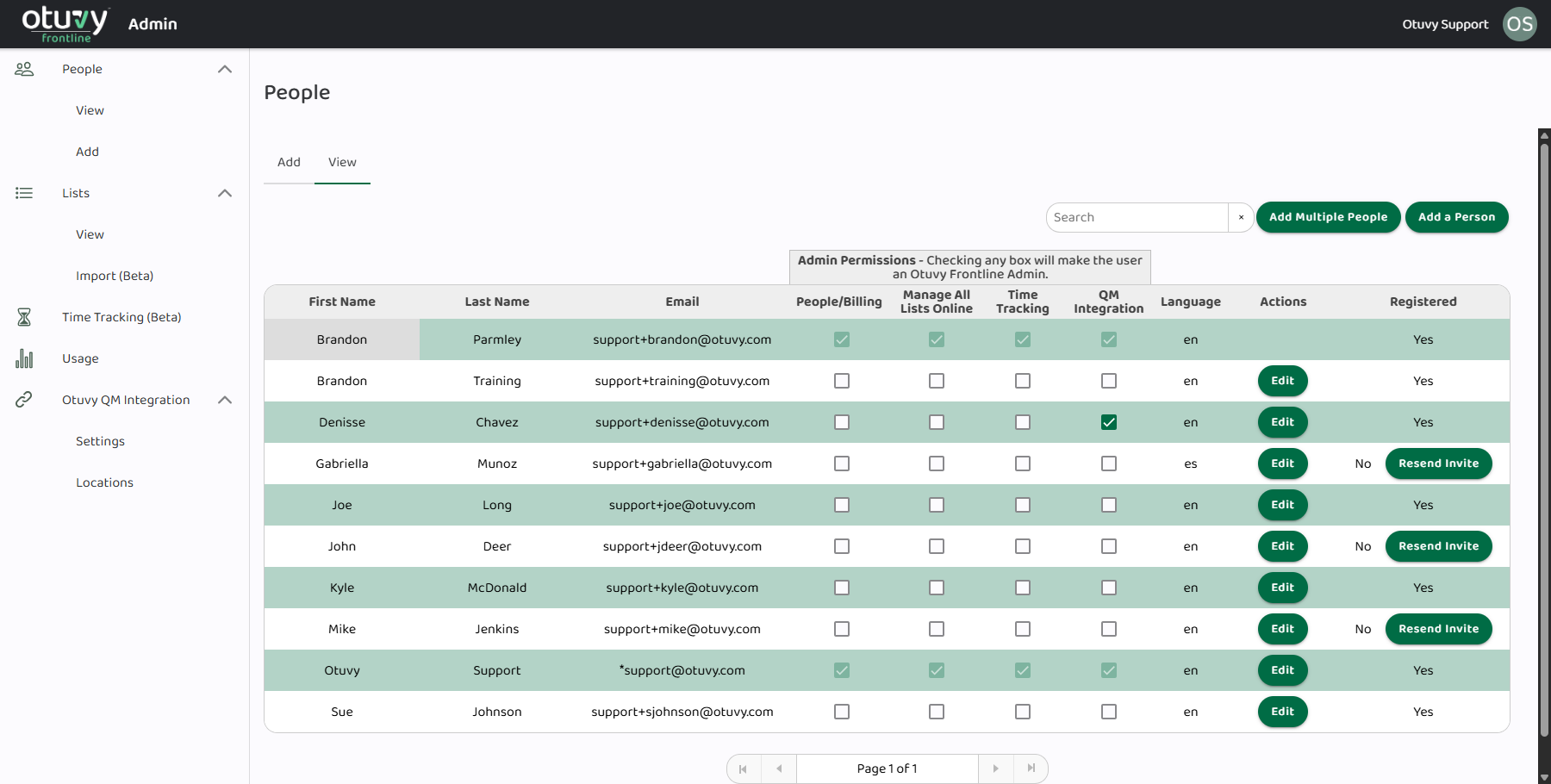
- Chose the people page from the left hand menu
- Find the user you want to edit
- Click the Edit button on their row
- Make changes as needed
The changes you can make to any user are as follows:
- First Name
- Last Name
- Email Address
- The only user you cannot make this edit for is the Super-Admin user. To change the Super-Admin user's email address please contact vip@otuvy.com
- Language: Auto-translate lists, tasks, and notes into your preferred language. Available languages are:
- English
- Spanish
- French
- Portuguese
- Delete This User: Click this to delete a user. Adjustments will automatically be made to your billing amount.
You can also make changes from the Add sheet if you want to make changes to several people at the same time.
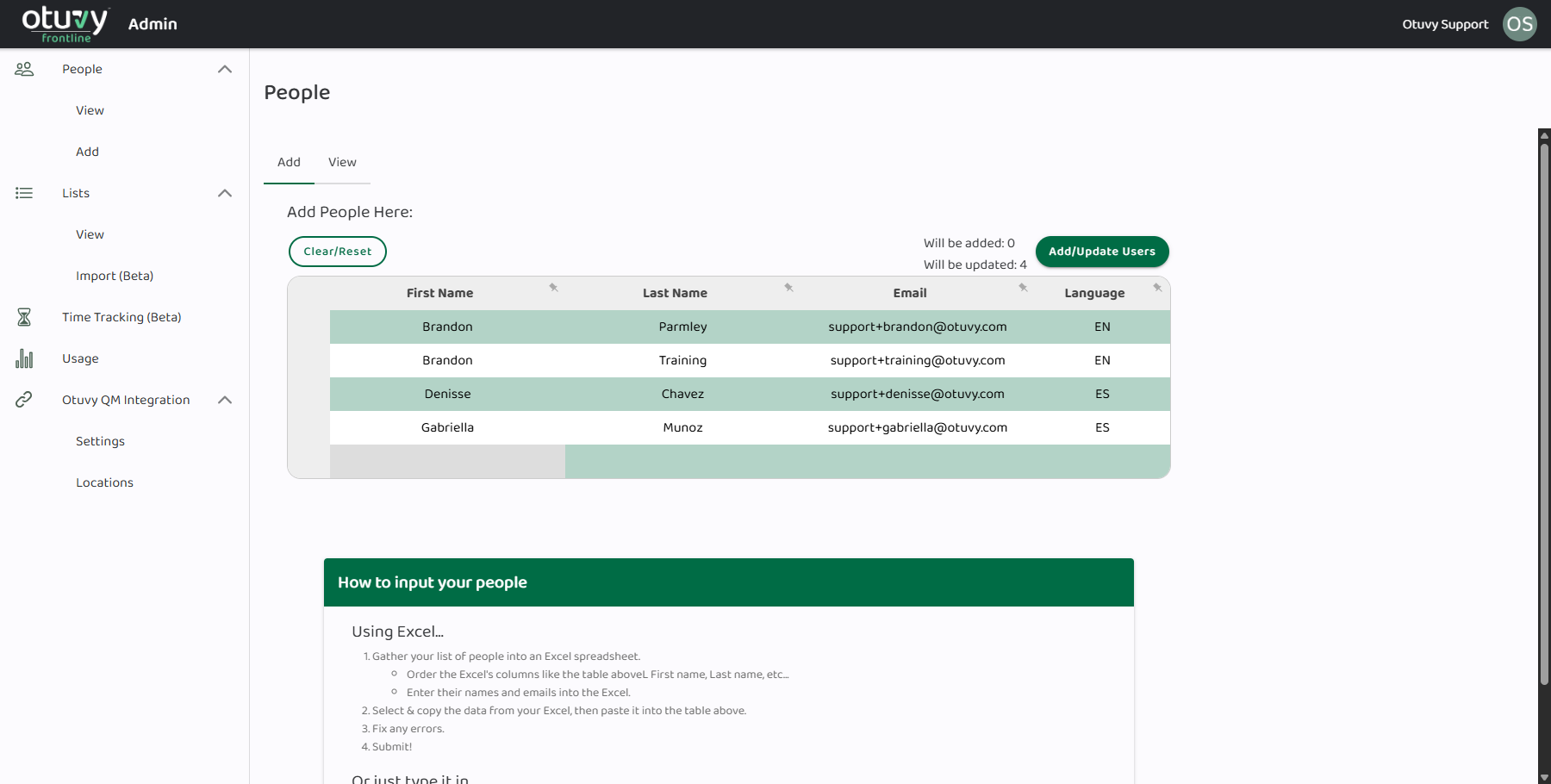
- Click the Add button at the top left of the screen to switch to the multi-edit view You could also click the Add Multiple People button at the top right of the screen
- Paste in the data from your updated excel spreadsheet that includes all users. (This is only recommended for advanced users.)
- Click Add/Update Users
Admin Permissions
Remember that each email address can only be used on one user, so any users you upload in this fashion with the same email address as an existing user will simply update the existing user's information.
Admins in Otuvy Frontline have control over specific features and user permissions based on their assigned role. Under Admin Permissions, you will find several key options that govern what users can access or manage within the platform.
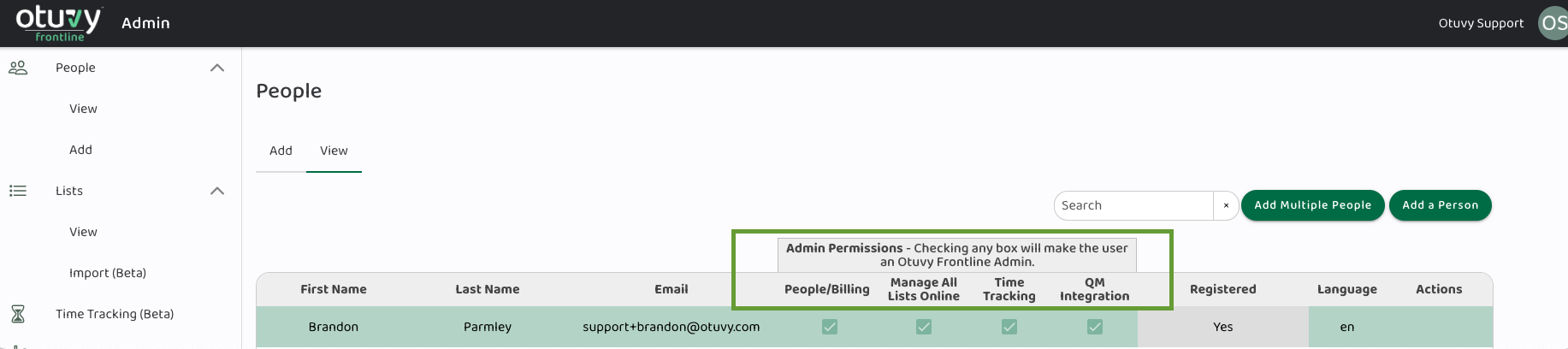
- 1. People/Billing
- 2. Manage All Lists Online
- 3. Time Tracking
- 4. QM Integration
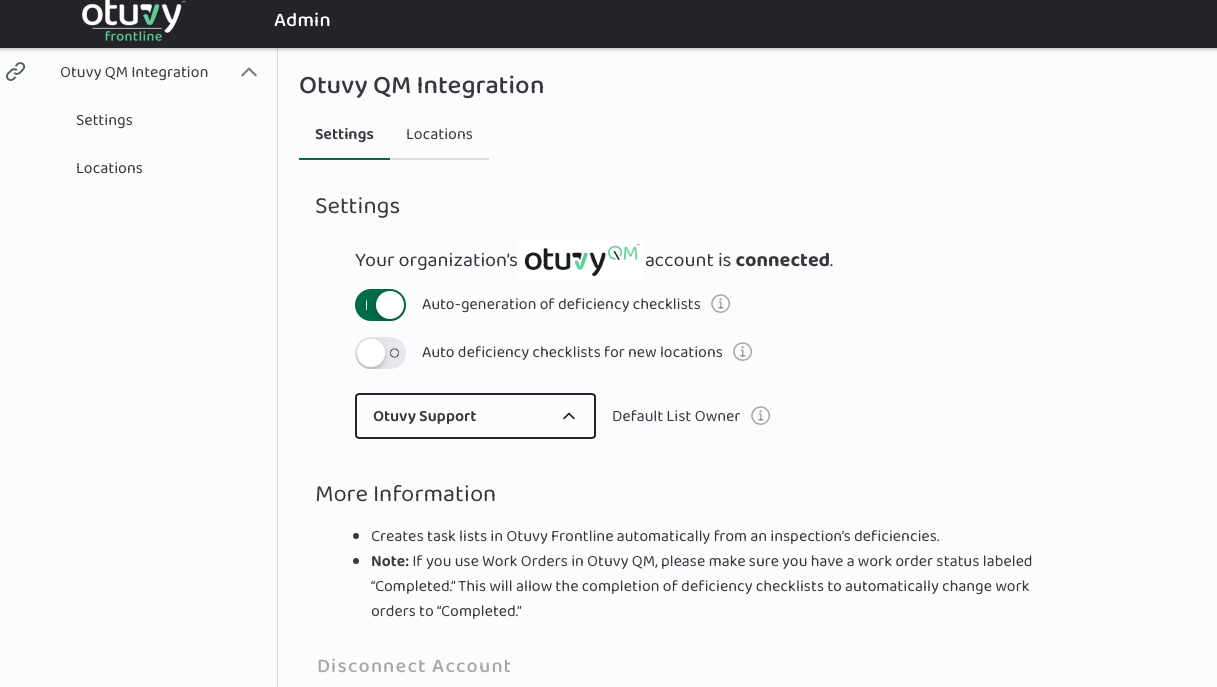
- Permissions: Admins with the appropriate permissions can view, modify, and manage Otuvy QM Integration settings. They can:
- Configure auto-generation of deficiency lists.
- Enable auto deficiency lists for new locations.
- Manage and edit lists that are generated through the Otuvy QM integration.
- Use Case: This feature is beneficial for admins overseeing quality management processes. It allows them to streamline the workflow by automating deficiency checklist creation, ensuring new locations are included, and providing the ability to manage and update generated lists as needed.
Need to add new users to this list? Check out our article Add Users in Otuvy Frontline