
Import Lists in Otuvy Frontline Admin Portal
You can import several task lists all at once within the Otuvy Frontline Admin Portal. This saves you time and hassle as an admin. Head first to https://admin.otuvyfrontline.com and click on Import (Beta) under Lists.
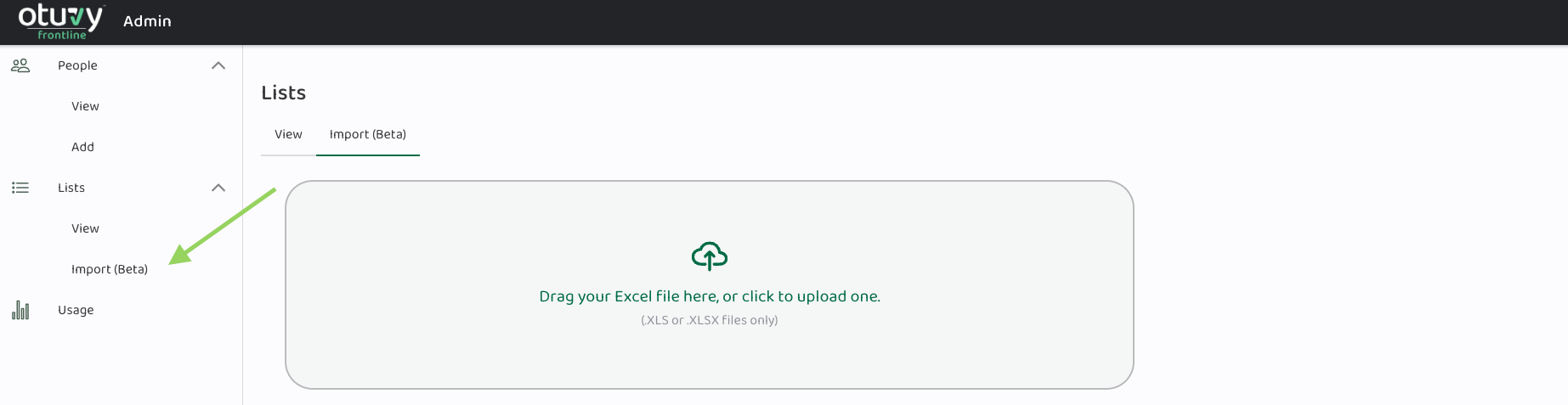
Once you've completed this initial step, proceed with the steps outlined below:
- Download the Template: Start by downloading the template provided. Ensure you have the file ready for the next steps. This template is designed to make task management easier for you.
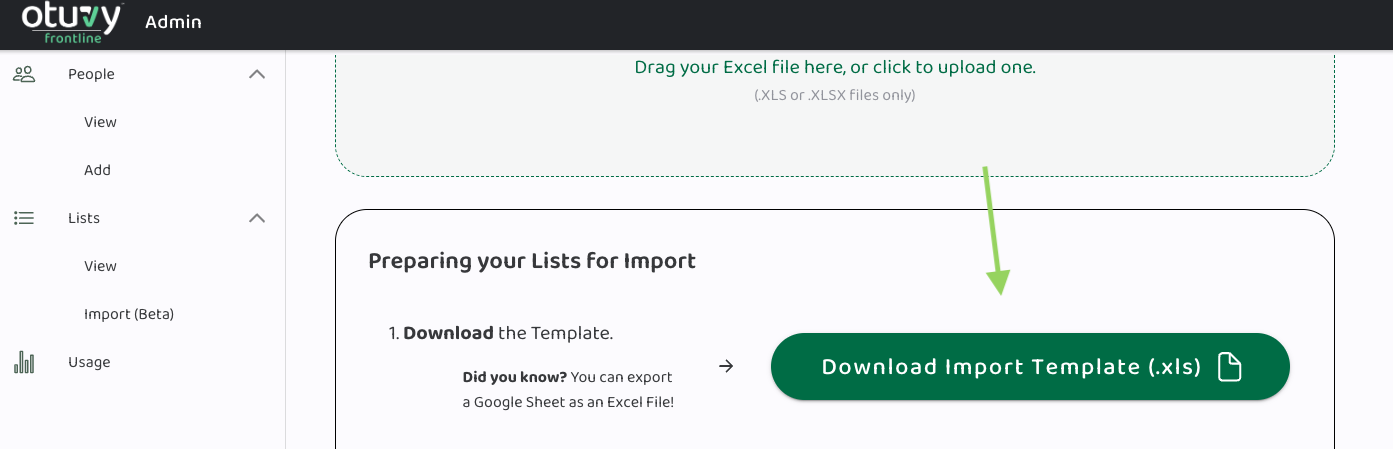 Did you know? You can export a Google Sheet as an Excel File! This means if you don’t have Excel, you can work in the free Google Sheets application and then export your Google Sheet as an Excel file to get it ready for upload into Otuvy Frontline.
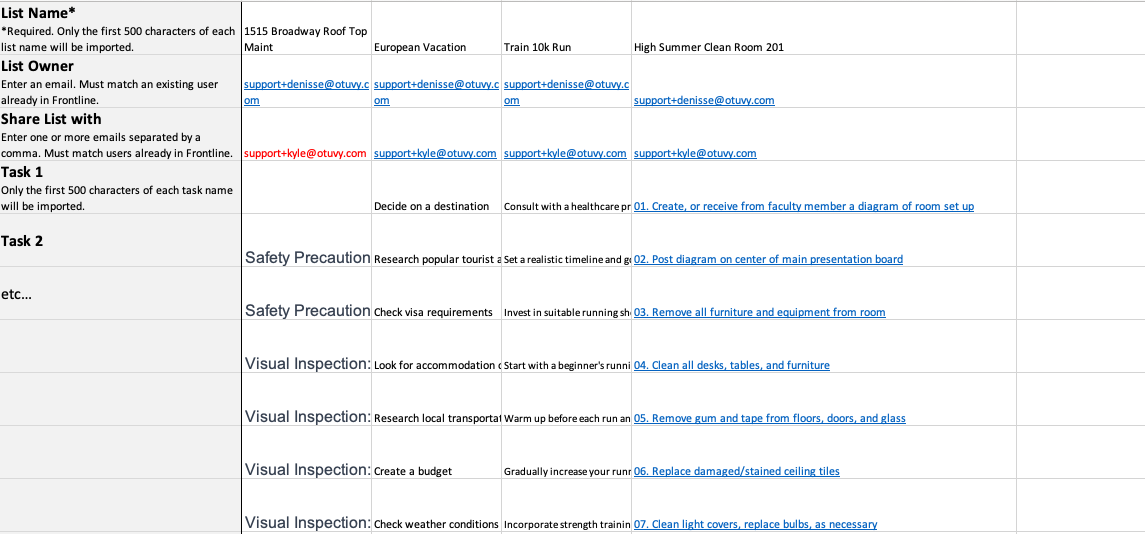
 - Copy/Paste Your Data and Save: Copy your task data and paste it into the template. Fill in the fields:
- List Name: Choose a name for your task list.
- List Owner: Enter the email of the person in charge. Only one email address is allowed in this field.
- Share List With: Add email addresses for others who need access. You can share lists with as many people as you want, just make sure you have a coma (,) separating each user’s email address.
- Tasks: Enter tasks, one per row.
- Upload the Saved File: Once you've filled in your tasks and saved the file, use the upload feature to create and share your task list for collaboration or future updates.
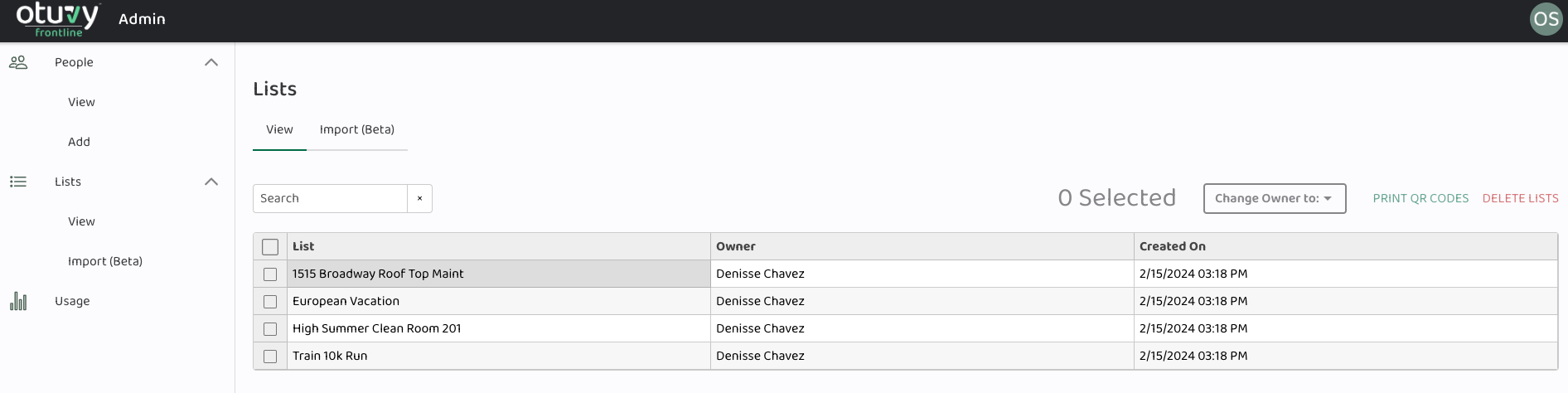
With these simple steps, you can enhance your task management. Whether you're an individual or part of a team, this template provides an easy way to organize and track your tasks.