
Reports in the Otuvy QM Mobile App
Viewing inspection reports in the Otuvy QM mobile app is designed to feel familiar, while giving you faster and more direct access from the Home screen.
Reporting itself has not changed. Your scores, calculations, and report formats remain exactly the same. What has improved is how quickly you can get to them.
How to Access Reports
There are two ways to access reports in the Otuvy QM mobile app.
Option 1: From the Home Screen
New:
- Go to the Home screen.
- Scroll to the Reports section at the bottom.
- Select the Service Location you want to view.
- You will be taken directly to that location’s Reports page.
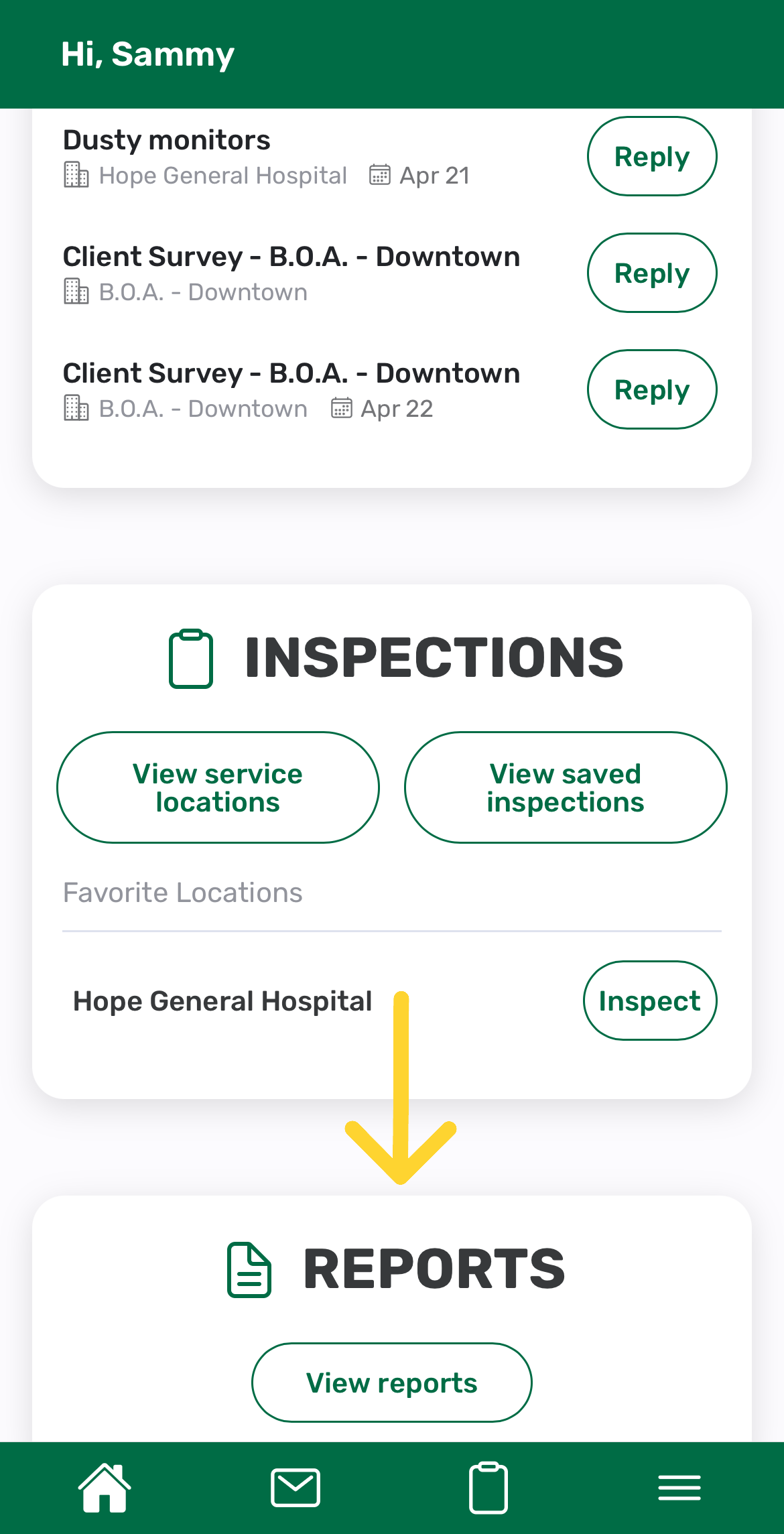
This is the fastest way to jump into reporting without going through inspections first.
Option 2: From Inspections
Familiar Flow:
- From the Home screen, go to Inspections.
- Tap View Service Locations.
- Select a Service Location.
- On the Do Inspections page, tap Reports.
This follows the same general flow as before, just within the updated interface.
What You Can Do in Reports
Once you are on the Reports page for a location, you can:
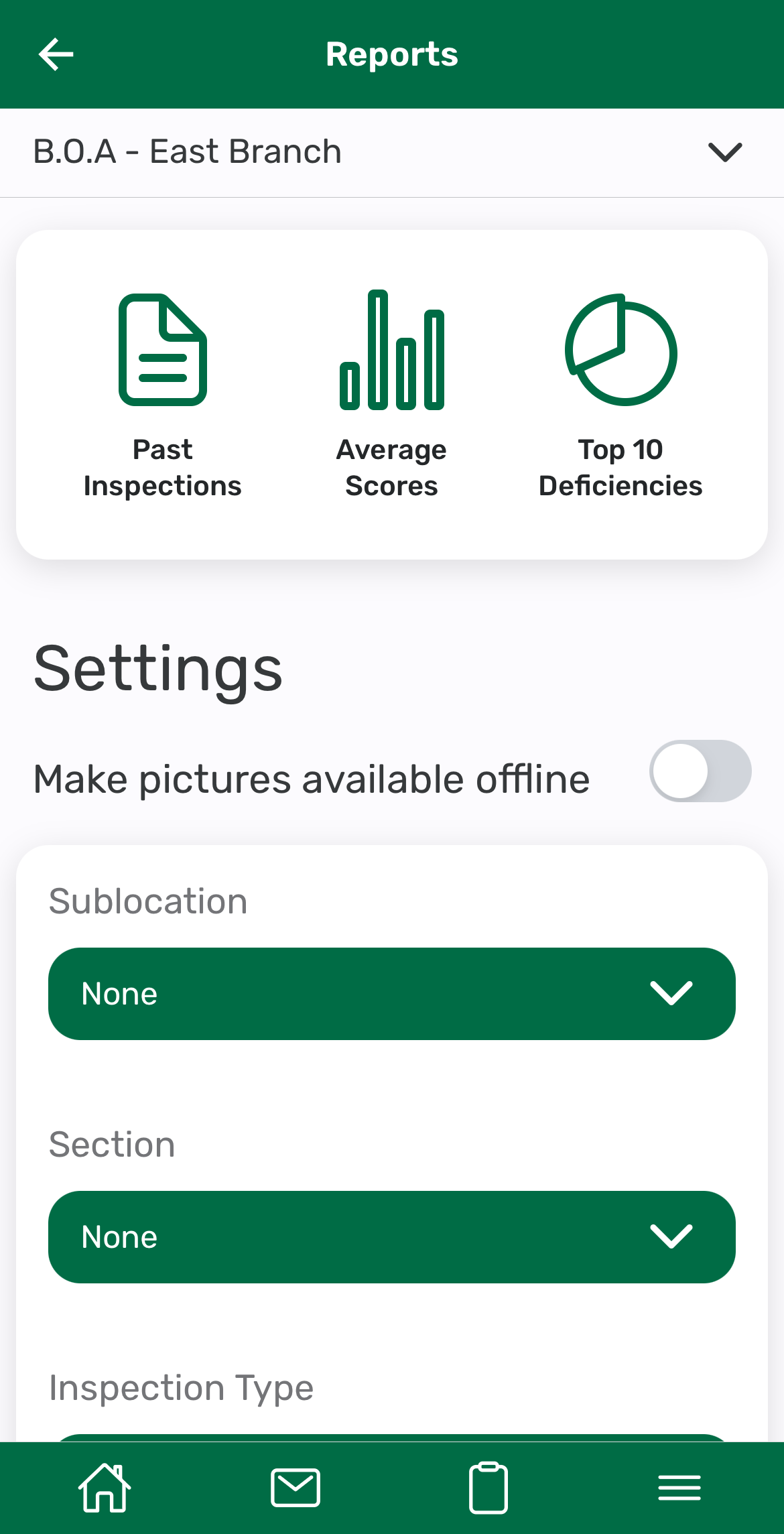
- View inspection scores and performance data
- Review completed inspections
- Analyze trends over time
- Use reports during walkthroughs or client conversations
All reporting data is synced with the Otuvy QM Service Provider HQ, so what you see in the app matches your dashboards and reports elsewhere.
Faster Access, Same Reliable Data
The Otuvy QM mobile app was redesigned to improve speed and usability in the field.
You now have:
- Direct report access from the Home screen
- Faster access to location-specific reports
- A cleaner, more focused reporting experience
But importantly, nothing about your scoring or reporting logic has changed. Your data remains consistent and reliable across the platform.
Tips for Using Reports in the Field
- Use the Home → Reports section when you need quick access during walkthroughs
- Use the Inspections flow when you are already working within a location
- Switch locations easily to compare performance across sites
Got Questions?
If you need help accessing or understanding mobile reports, our team is here to help.
Contact us at vip@otuvy.com